Components
Selling
The cart and the checkout are already built — Soundee Setup draws them. What is left is the buy button, and the slower business of collecting an address.
Buying
Add To Cart
CommerceOn a detail page, the buy button for that track. It opens the licence picker, and adds whichever licence the visitor chose.
Bind CMS JSON. Leave the licence unset so the visitor picks — setting one skips the picker and commits them to a licence they never saw.
Cart Button
CommerceOpens the cart, with the live item count. It belongs in your nav.
There is nothing to place for the cart panel or the checkout themselves. Both come from Soundee Setup, which is one more reason it belongs on every page.
Bulk deals
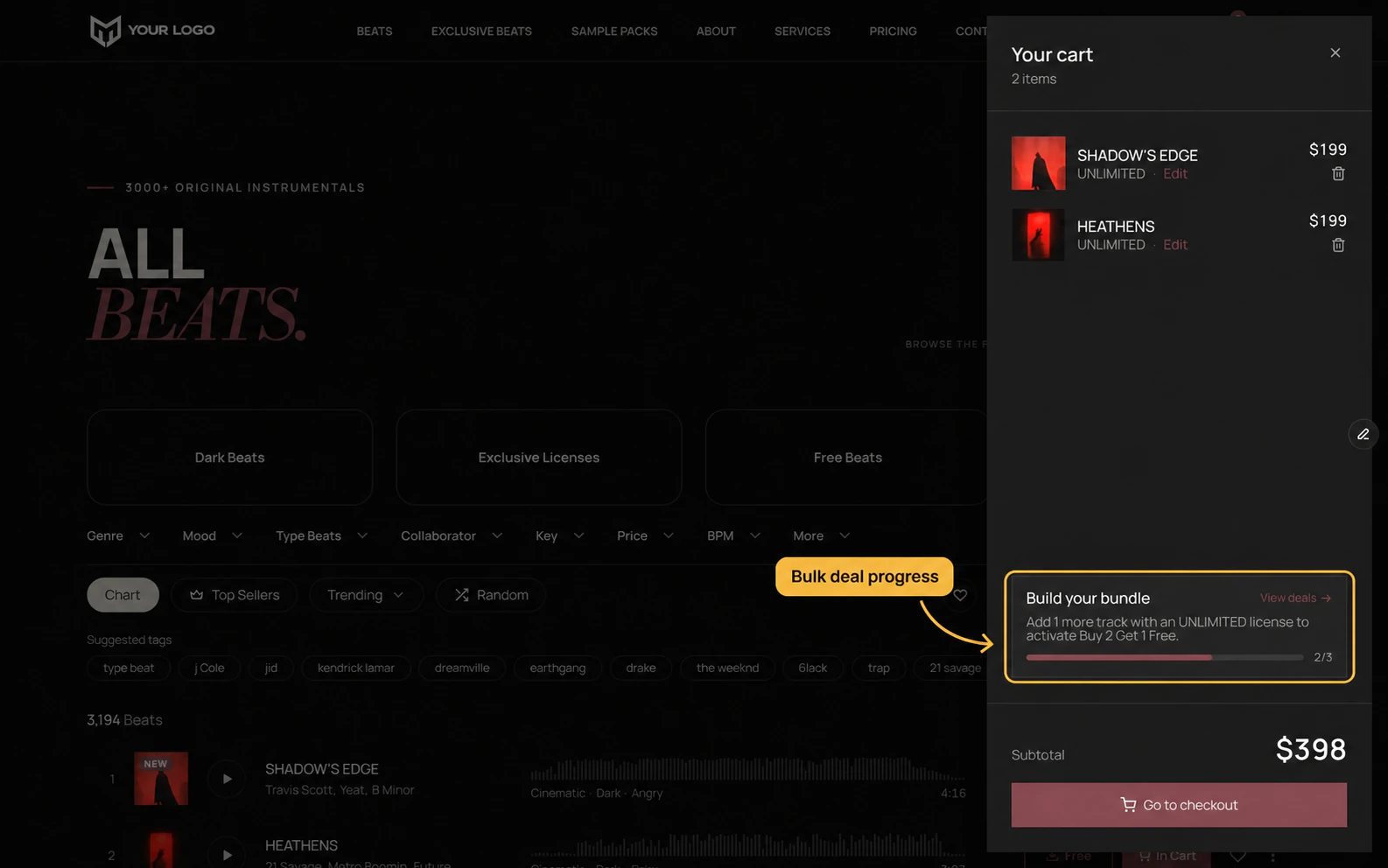
If you offer deals in Soundee — buy two get one free, or a fixed price for three — the cart works them out on its own and tells the visitor how close they are. You do not configure that here; it follows what you set up in Soundee.
Collecting emails
Email Opt In
CommerceA section for a footer or between two shelves. A heading, a line of text and a field — “get 10% off your first order”, “hear new beats first”.
Once an address is in, the form replaces itself with a thank-you you also word. Say what happens next there, so nobody is left wondering whether it worked.
The mailing list will not take an address without a name, so Name does not decide whether one is asked for — only where. A phone number is genuinely optional.
The same offer, on the way out
Soundee Setup can make the offer again at a different moment: when the pointer leaves for the address bar. It is off until you turn it on, in Setup’s Exit Intent group, and it carries its own heading, text and button rather than borrowing the section’s.
Someone who closes it is left alone for a week before it asks again, which Ask Againsets. Subscribing silences it for good.
Addresses from both land in the same place, tagged so you can tell which moment won them.