Catalogue
Filters
Every browser has a Filters control: the keys it shows as dropdowns, in the order you list them. This page is where those keys live.
A key the catalogue does not have is skipped rather than drawn empty, so you can list generously without checking first.
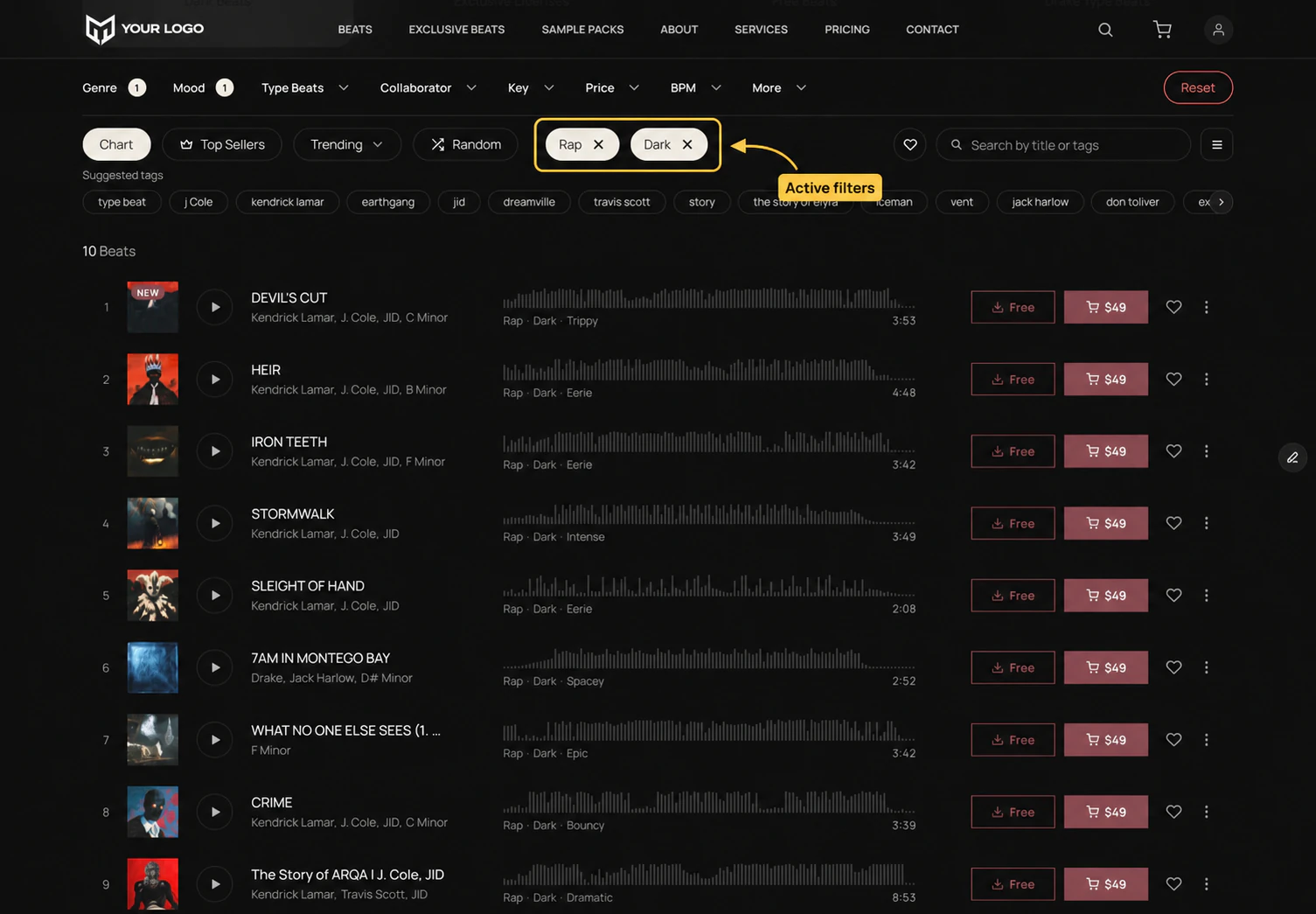
?genre=rap&mood=dark, which is exactly what you would put in Initial Filters to open a page already here.Tracks
| Key | Shows as | Accepts | Values |
|---|---|---|---|
q | Search | one | Free text — title, producer and tags |
genre | Genre | many | Your genres. A parent genre also matches its subgenres. |
mood | Mood | many | Your moods |
artist | Type Beats | many | Your type-beat artists |
key | Key | many | Musical keys, written f-sharp-minor |
collaborator | Collaborator | many | Producer usernames |
tags | Tags | many | Tag names, matched exactly |
bpm | BPM | one | A range — see below |
price | Price | one | A range over the exclusive price — see below |
added | Added | one | last-7 or last-30 |
hook | Hook | one | On or off |
download | Free Downloads | one | On or off |
list_type | Show | one | All, liked, history |
sort | Sort | one | See Sorting |
The dropdowns for genre, mood, type beats, key, collaborator, BPM and price fill themselves from your catalogue. A genre nobody has used does not appear.
Kits and services
Both carry a shorter set: q, type, collaborator, tags, price, added, list_type and sort. Of those, type, collaborator and tags take many; the rest take one.
One value or several
A many key takes a comma-separated list and matches any of the values. Different keys narrow each other.
| Written | Means |
|---|---|
genre=trap,drill | Trap or drill |
genre=trap&mood=dark | Trap and dark |
Opening a page already filtered
The Initial Filters control takes a query string, with the leading ? optional. Use it for a page that should arrive narrowed: a Trap page, a Free Beats page, a page of everything under fifty.
| You want | Initial Filters |
|---|---|
| Trap only | genre=trap |
| Beats you can buy outright | price_over=1 |
| Exclusive rights under a thousand | price_under=1000 |
| Trap, 140 BPM and up | genre=trap&bpm_over=140 |
| Trap between 140 and 160 | genre=trap&bpm_over=140&bpm_under=160 |
Ranges
BPM and price take a pair rather than one value: bpm_over and bpm_under, price_over and price_under. Set one, the other, or both. Both bounds include the number you give.
Two details worth knowing: an upper BPM bound also drops tracks with no BPM set, and any price bound on tracks limits the result to items that are for sale.